See how your students did
Every answer your students give shows up in the assignment's results, question by question.
Open the results
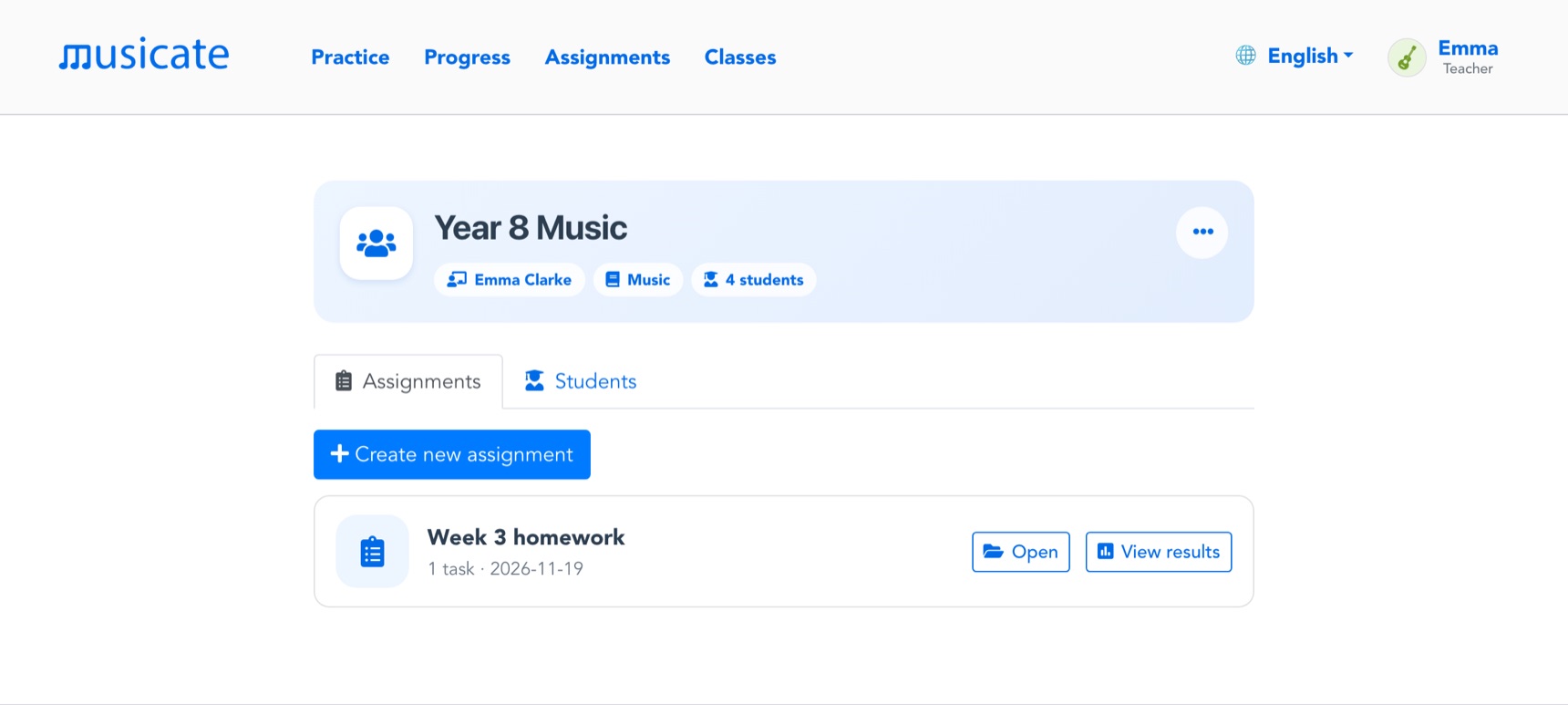
Open your class from Classes. On the Assignments tab, click View results next to the assignment.
Read the scores
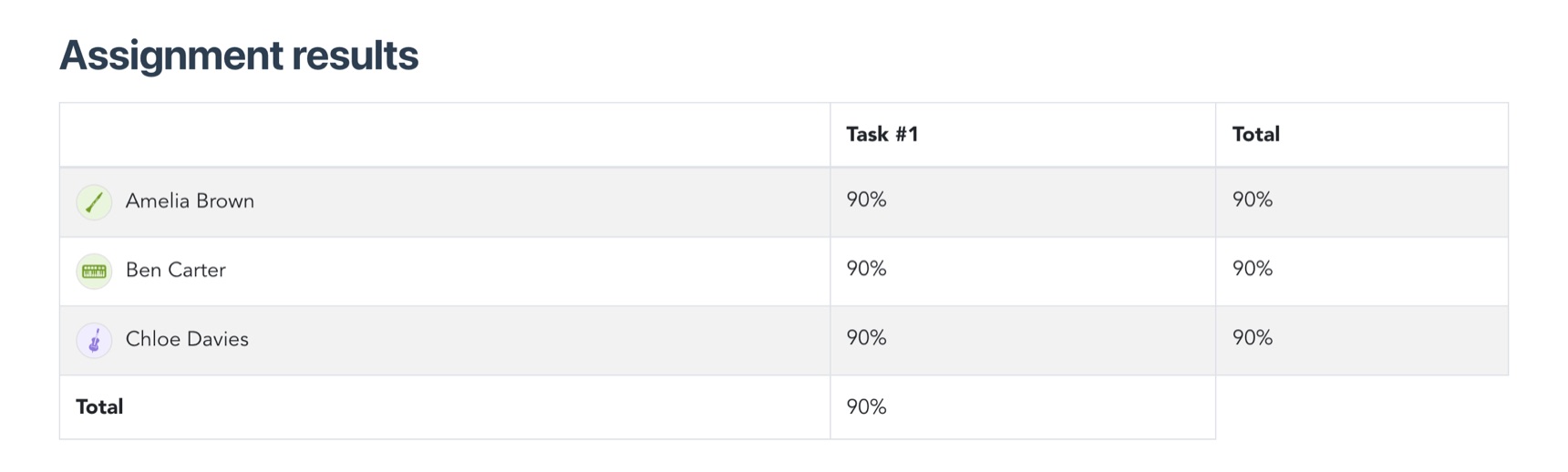
The first table has a row for each student, with their score for each task and in total. The bottom row is the class average.
Students who haven't started yet aren't listed, so check the table against your class.
Find the hard questions
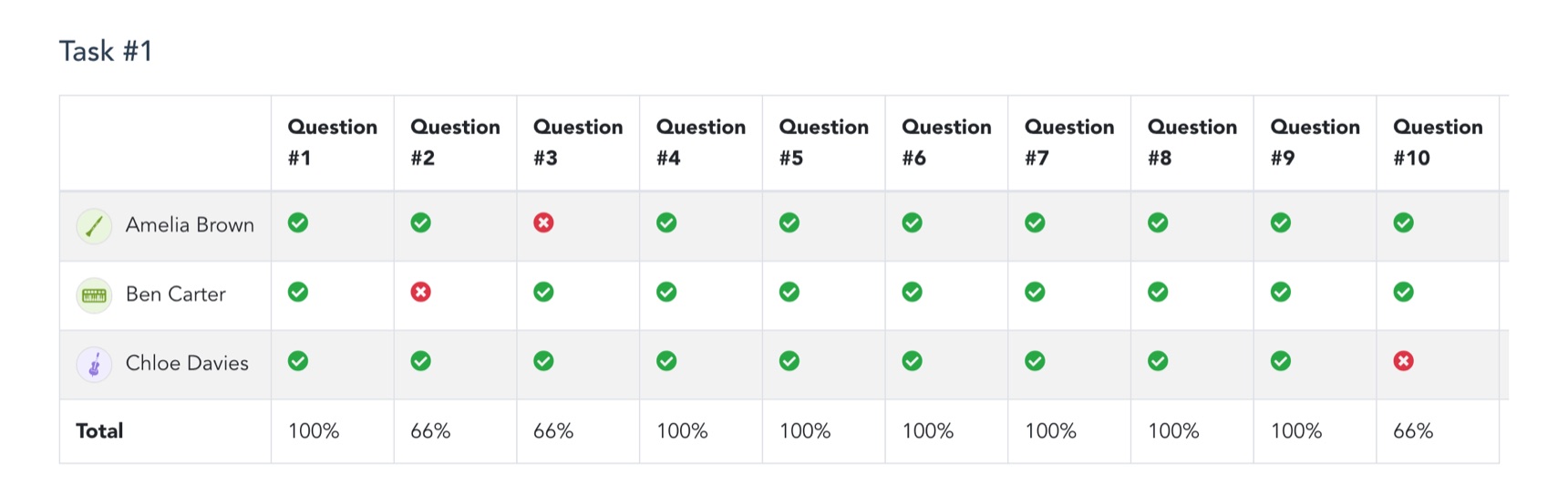
Below it, each task has a table with a tick or a cross for every student and every question. The bottom row shows how many got each question right, so you can see what to go over in your next lesson.
Follow one student
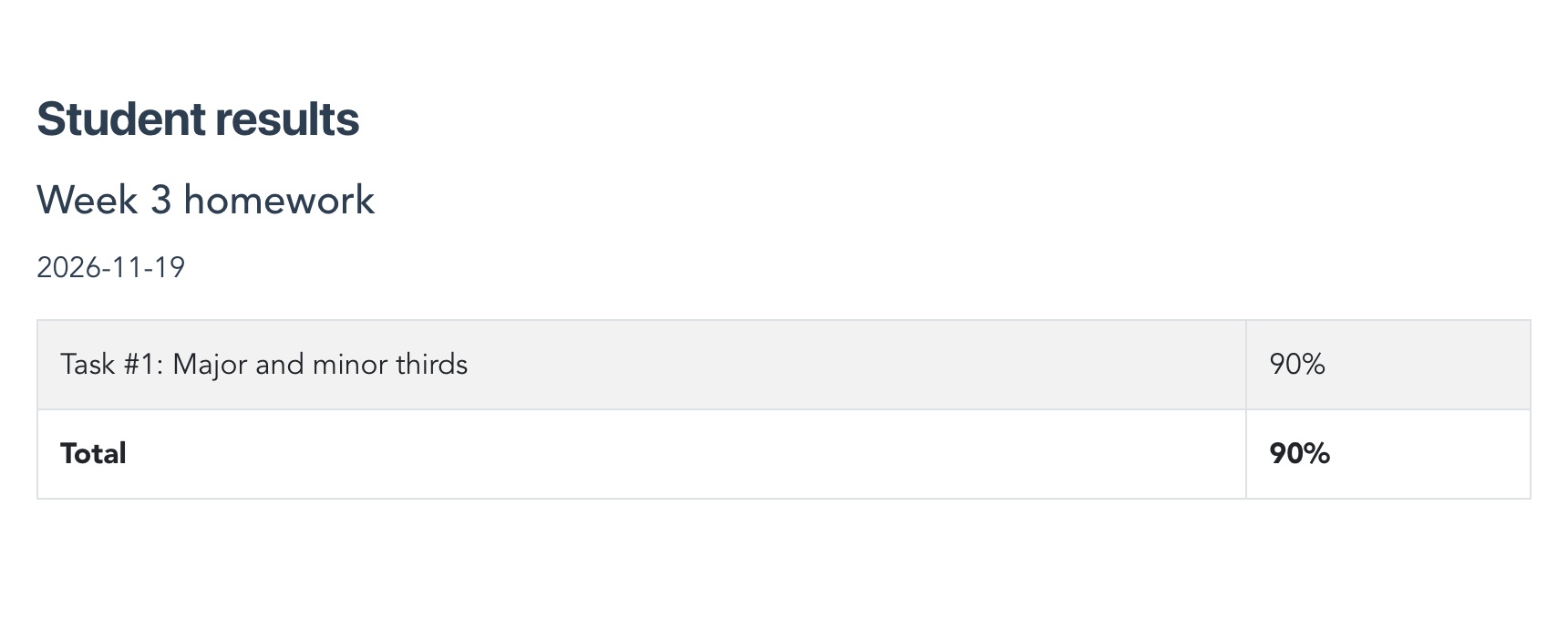
On your class's Students tab, click View results next to a student. You'll see their score in each of your assignments.